Features

Everything you need. Nothing you don't.

One app for upcoming meetings, local recording, grounded Ask AI, and searchable meeting history. All on your machine.

The notes you'd write if you had time.

After every meeting, AutoDoc produces a structured summary organized around what matters most.

Decisions
What was decided, by whom, and the context behind it.
Action items
Tasks with owners and deadlines, pulled from the conversation.
Metrics & key topics
Numbers discussed, KPIs mentioned, and the topics that drove the conversation.
Editable after the fact
Refine summaries and transcripts whenever you want. It's your data.
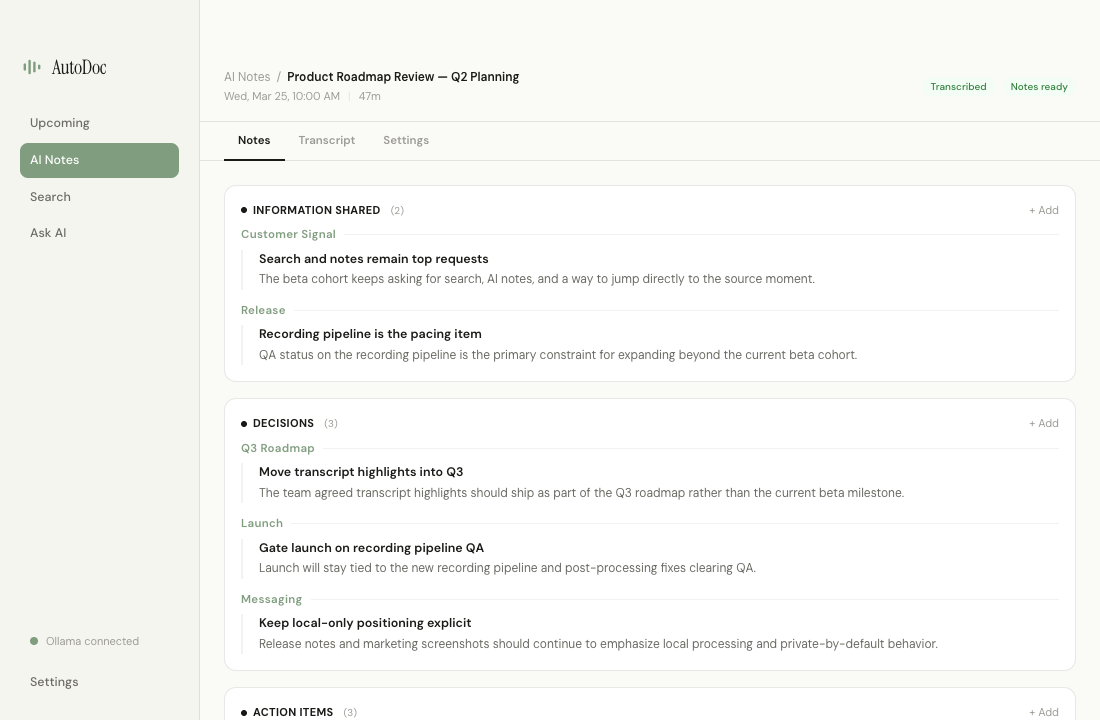
AutoDoc structured meeting summary
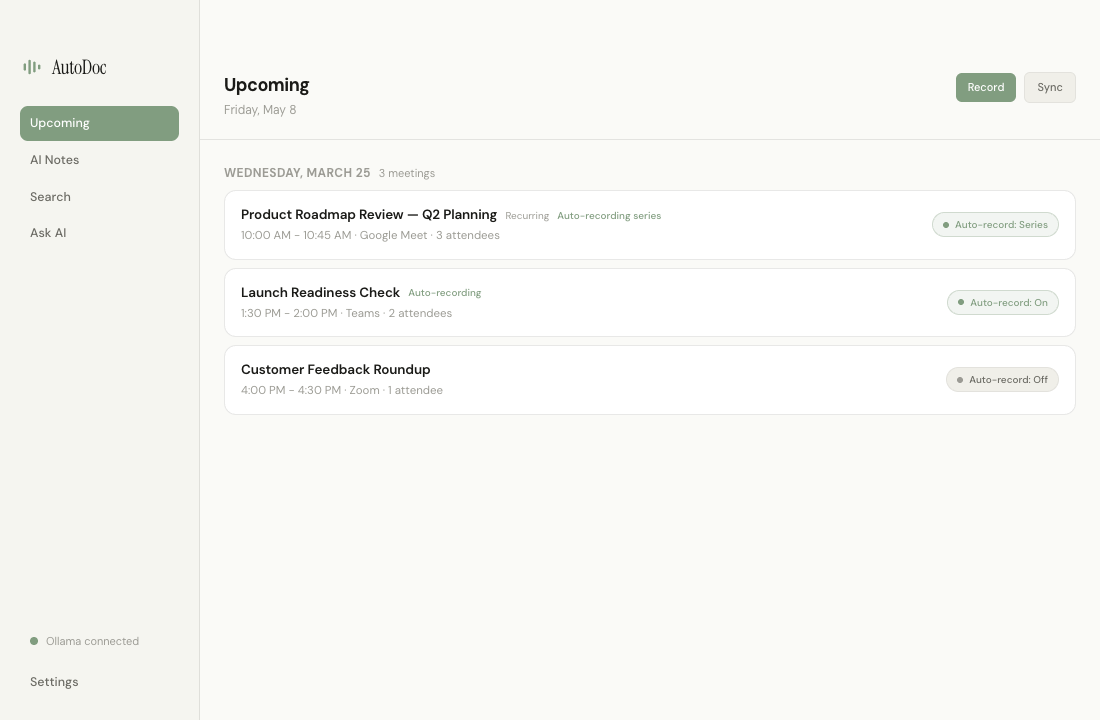
AutoDoc dashboard with calendar integration

One click to capture everything.

See what's coming up, start from the meeting itself, or let AutoDoc be ready when the call begins. Audio, video, and transcript stay captured locally.

Upcoming meetings
See today's schedule inside AutoDoc with fast recording controls right where you need them.
Google and Microsoft calendars
Connect Google Calendar or Microsoft Outlook so recordings are named and organized automatically.
Auto-record controls
Choose off, once, or series for each meeting so recurring calls can capture themselves.
Works offline
No internet required. Record and transcribe anywhere.

Ask your meetings.

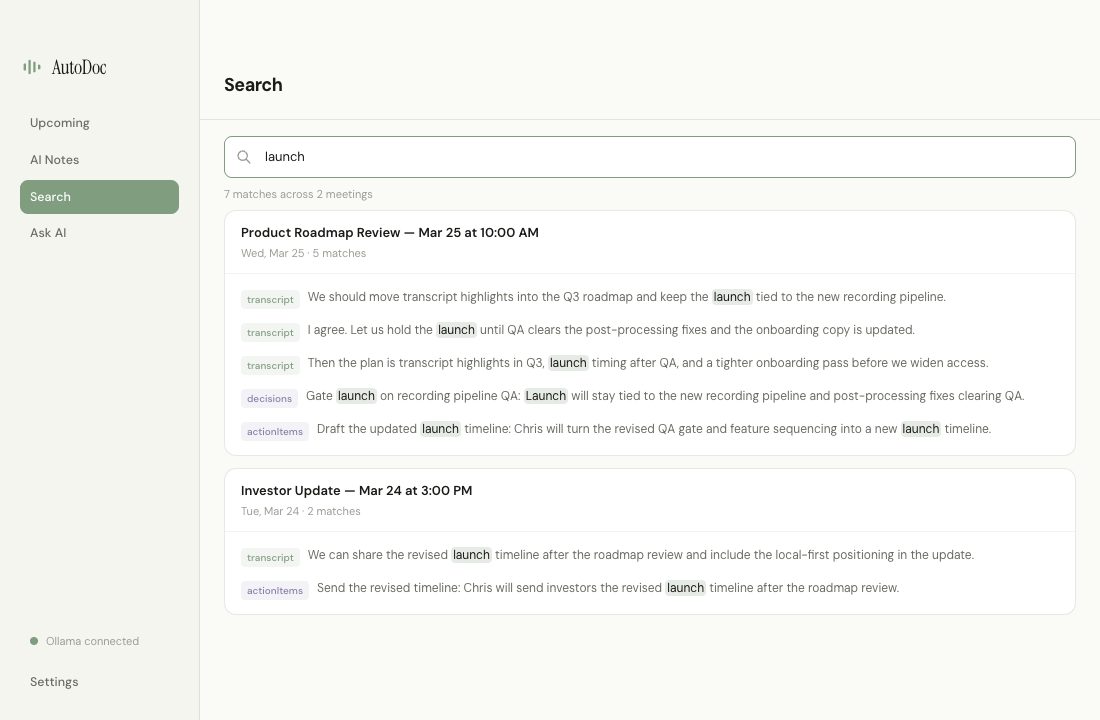
"What did we decide about the Q3 roadmap?" Ask a question, get an answer grounded in what was actually said, then jump straight into the underlying meeting if you want the full context.

Full-text search
Find any word across every transcript and summary instantly.
Dedicated Ask AI workspace
Ask questions in plain English and get grounded answers built from your notes and recent transcripts.
Jump back to the source
Search results can take you right to the matching note or transcript moment.
AutoDoc search and AI Q&A
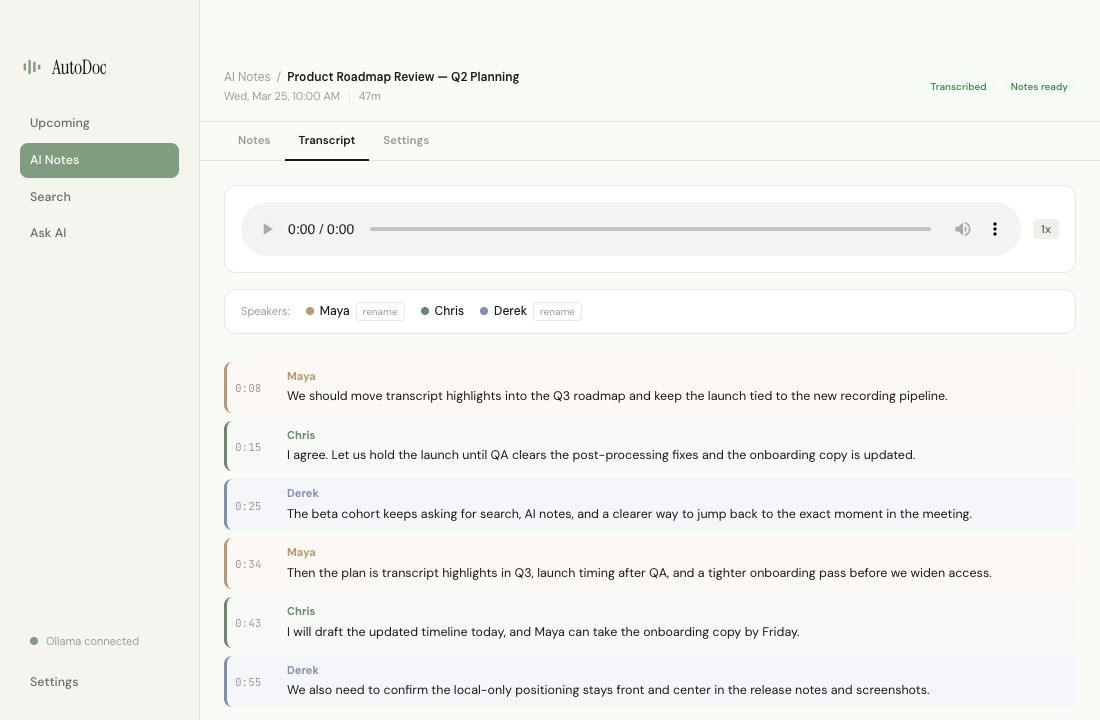
AutoDoc transcript with speaker diarization

The full picture.

Summary on the left, full transcript on the right. Audio playback synced to the text, speaker-aware transcripts, and edits whenever you need to clean something up.

Split-panel review
Structured summary and full transcript side by side.
Synced audio playback
Skip, rewind, and scrub — the transcript follows along.
Speaker labels and transcript cleanup
Identify who said what, rename speakers, and keep the transcript useful after the meeting.
Inline editing
Fix a name, add context, correct a quote — everything is editable.

Encrypted at rest, by default.

Your recordings, transcripts, notes, and meeting metadata are encrypted on disk, so AutoDoc keeps a long memory without leaving loose files behind.

Recordings and notes protected locally
Meeting files are stored on your device in encrypted form.
Works with local playback
You still get quick review, synced playback, and searchable history without giving up control.
AutoDoc encrypted local meeting history

See for yourself.

Download AutoDoc and try it on your next meeting.

Mac Coming Soon PC Coming Soon